Dotori Alarm Clock
com.droidactor.alarm
A 15-minute nap alarm, one tap away. Choose a quick nap duration and set each everyday alarm’s snooze schedule.

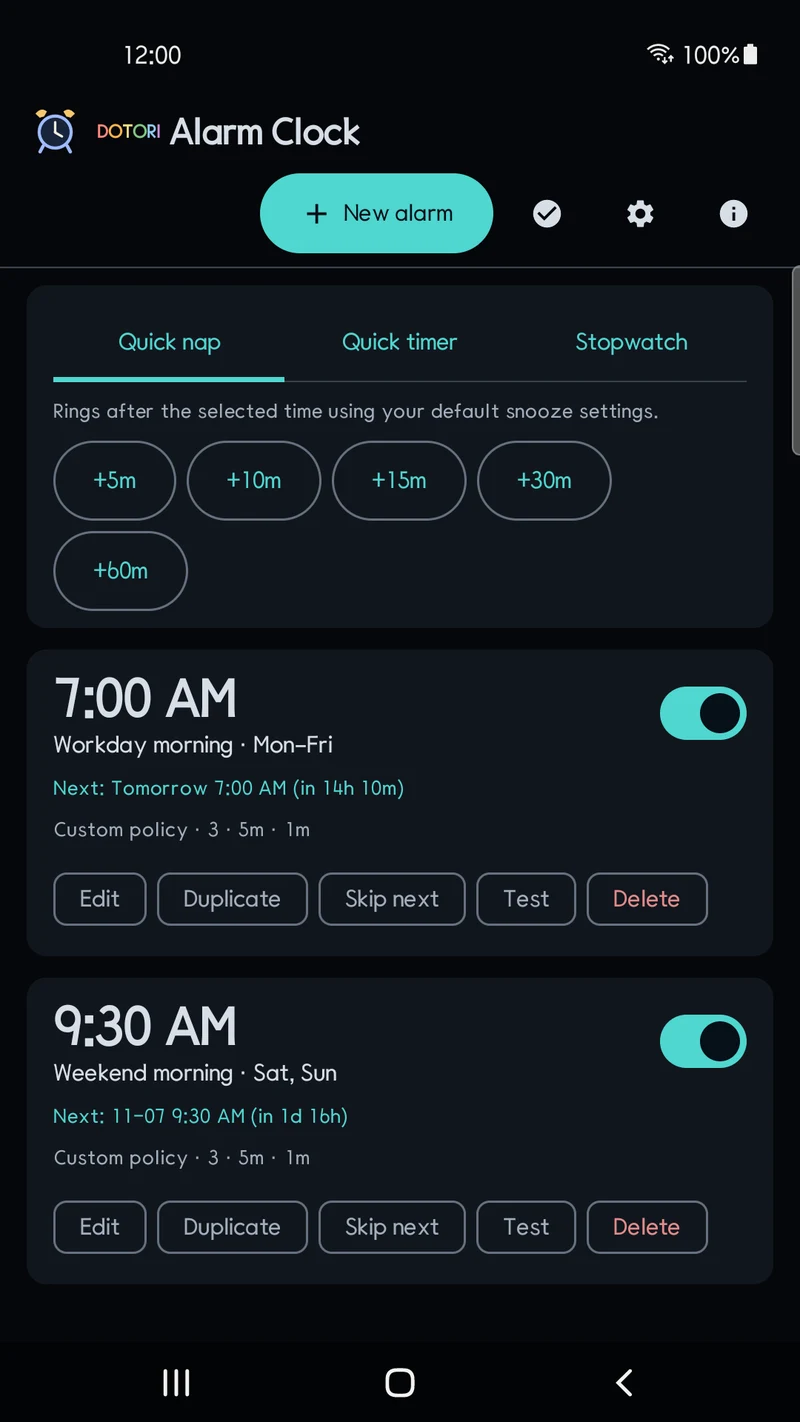
Quick naps, one tap away
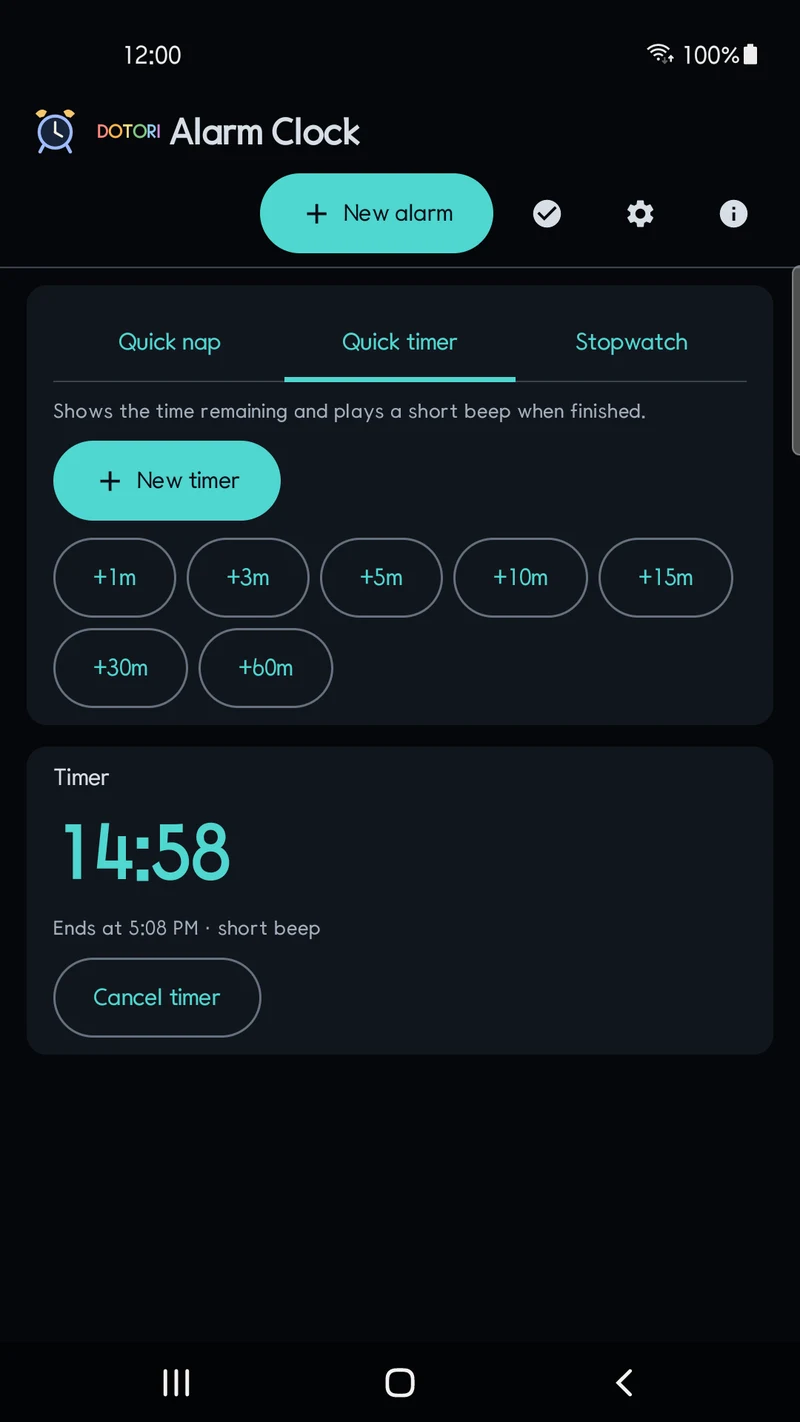
Tap 5, 10, 15, 30 or 60 minutes on the main screen to schedule a one-time alarm. No clock-time calculation or new alarm editor is needed. The duration starts when you tap, not when you fall asleep.
Naps use your default alarm sound, volume, vibration and snooze settings. Check the scheduled time and time remaining in the list, or edit an individual alarm. Ringing, snooze and dismissal screens have no ads; a banner appears on the main list.
Per-alarm snooze & ring schedules
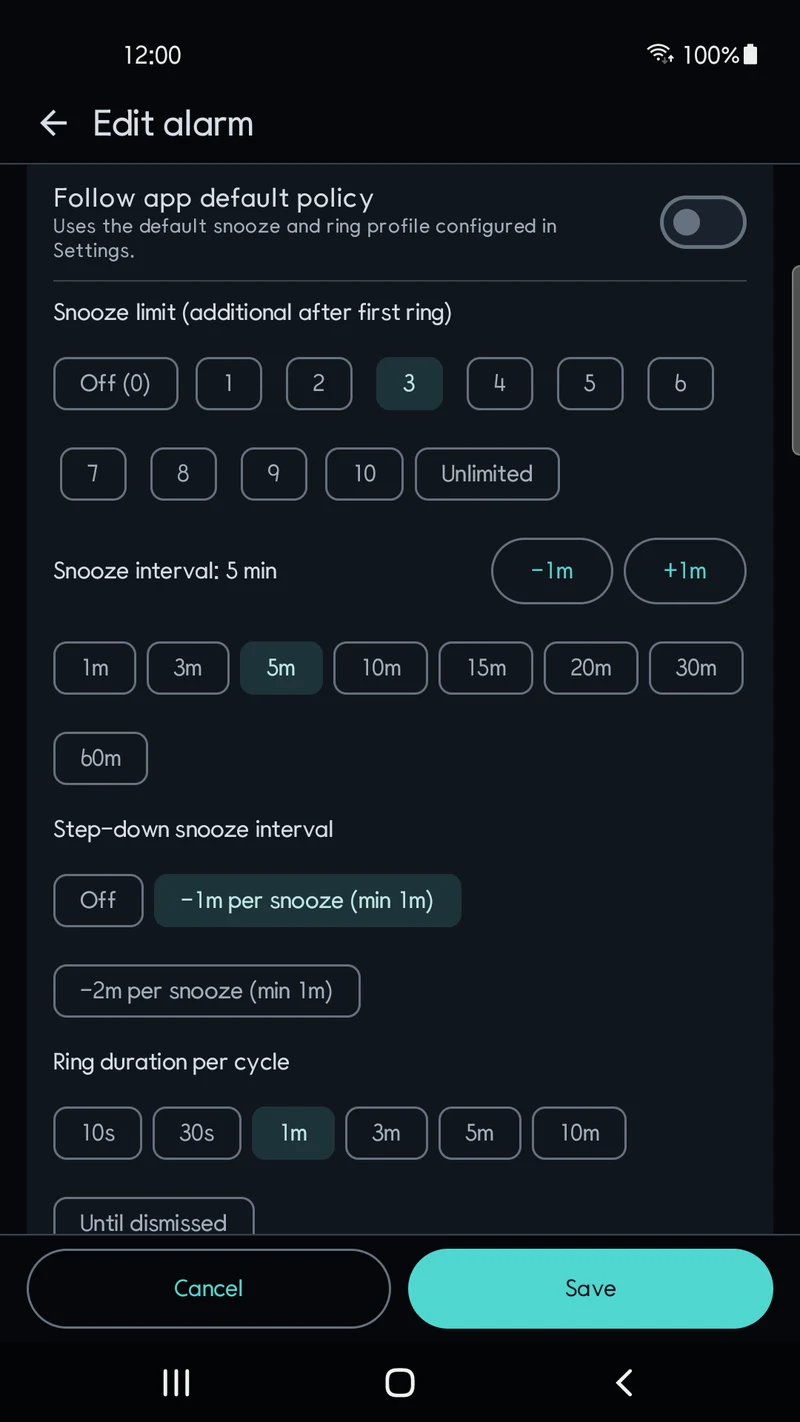
Choose an app-wide default snooze policy in Settings, and override it for any individual alarm. Set the snooze wait interval from 1 to 60 minutes (default 5 minutes), choose the maximum snooze count from 0 (off) or 1–10 (default 3) up to Unlimited, and optionally shorten each subsequent snooze interval by 1 or 2 minutes down to a 1-minute floor.
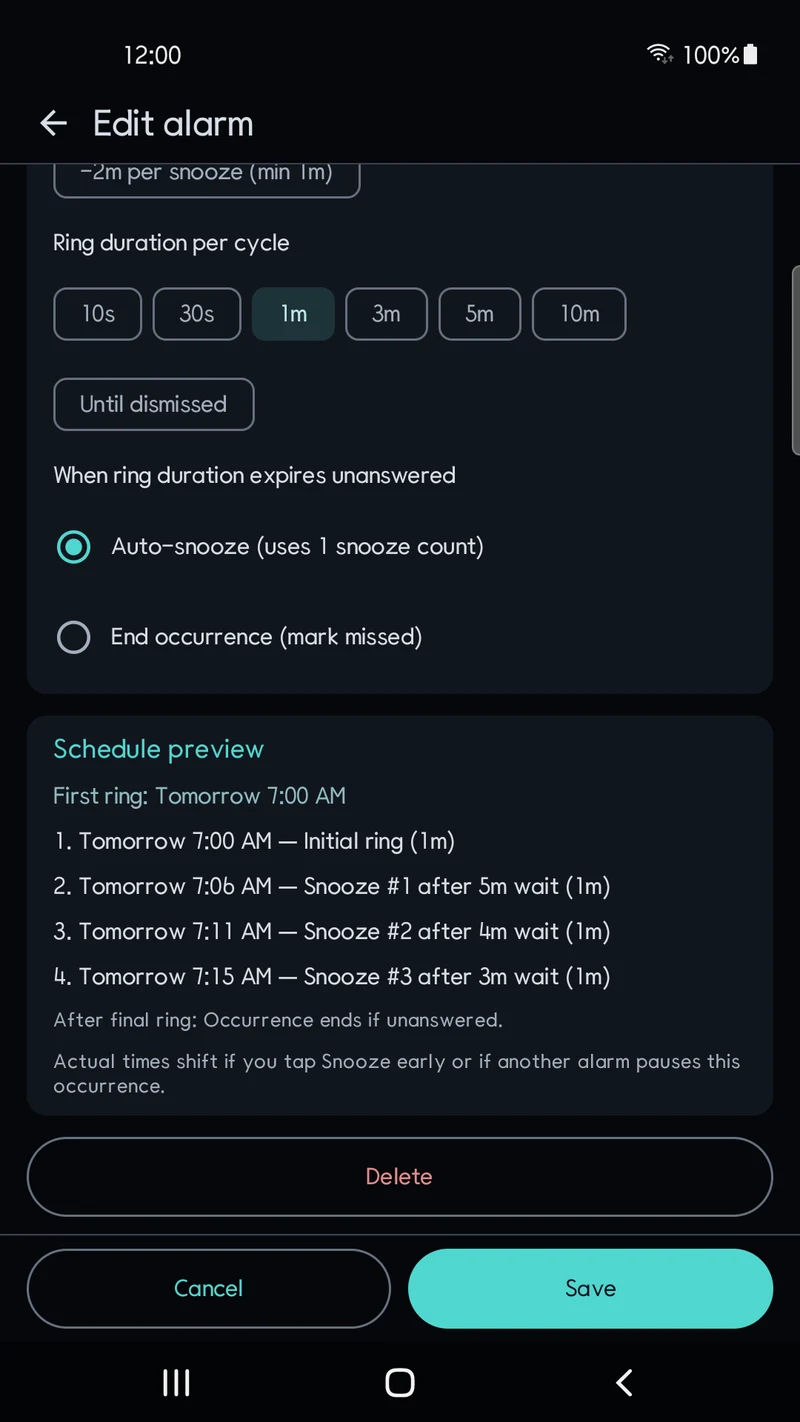
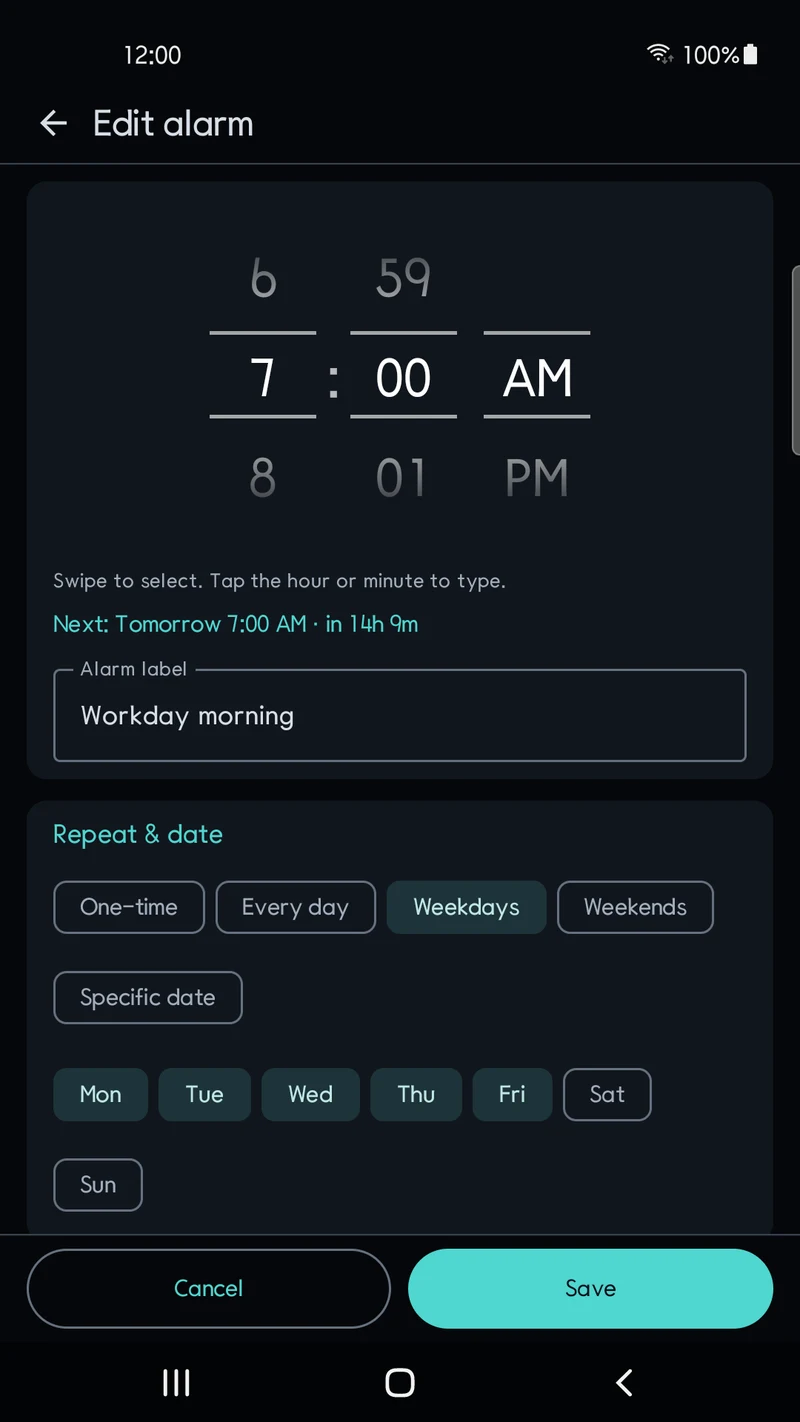
Set how long an alarm rings before timing out (10s, 30s, 1m, 3m by default, 5m, 10m, or Until dismissed) and whether a timeout auto-snoozes while repeats remain or ends only the current occurrence. The alarm editor previews the initial ring time and upcoming snooze times (up to 6 steps) before you save.
Screens
Time entry, timers and stopwatch
Use the wheel or type the digits for a regular alarm. Check the next ring and time remaining before saving. Times follow your device’s 12/24-hour setting.
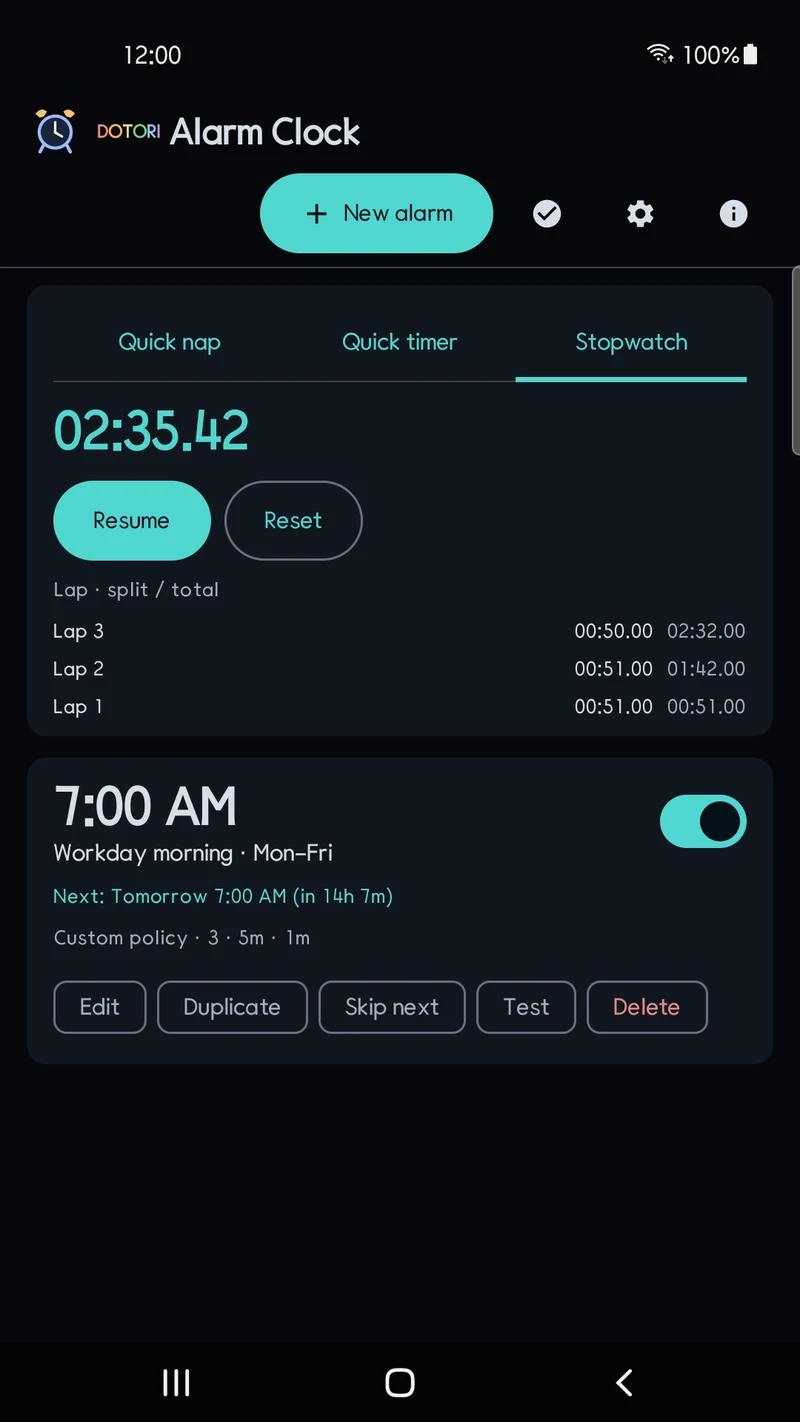
Start timers from presets or enter hours, minutes and seconds, from 1 second to 23:59:59. Run several countdowns and cancel them individually. Each timer ends with one short beep and no snooze. The stopwatch supports start, pause, resume and reset, with up to 100 split/cumulative laps. Timing continues when you leave and reopen the app.
Overlapping alarms, quick naps & skip next
Schedule alarms for repeating weekdays, the next upcoming occurrence, or a specific calendar date. Repeating weekday alarms can skip just the next occurrence without turning off the weekly schedule, and main-screen buttons add a one-time quick nap in +5, +10, +15, +30 or +60 minutes.
When a new alarm triggers while another is already ringing, the previous alarm is not silently discarded: its remaining ring duration and snooze progress are kept in the active queue so you can switch between active and queued alarms, dismiss one, or stop all currently ringing and queued alarms while leaving unrelated snoozed alarms intact. Once an occurrence starts, its policy and sound settings stay locked for that occurrence so later edits take effect from the next regular schedule.
Dismissal, audio, reboot recovery & known limits
Dismiss alarms with a horizontal slide by default to avoid accidental taps, or switch to a large-button mode in Settings; TalkBack accessibility actions are supported in both modes. Choose system alarm tones, local audio files via the Android document picker, or silent vibration-only mode with optional fade-in. Direct Boot restores scheduled alarms before first unlock after a restart (using the built-in alarm tone until file storage unlocks), and an optional setting can ring alarms missed within 10 minutes during a reboot.
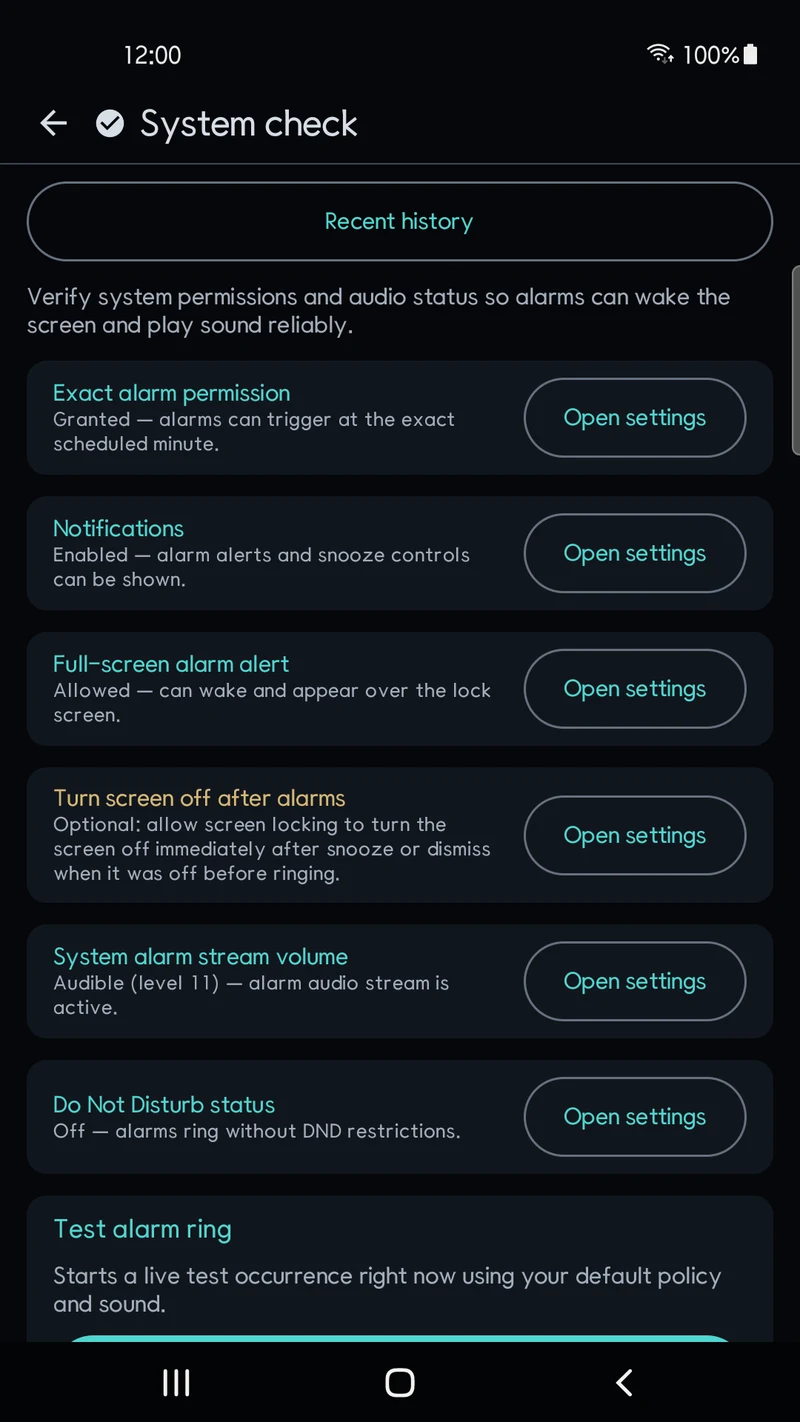
A built-in device check screen inspects exact alarm permission, notifications, full-screen alerts, alarm volume and Do Not Disturb, with a 10-second test ring and a local log of the last 50 alarm completion results (dismissed, missed, cancelled or replaced) so you can check missed alarms. Alarms cannot fire while the phone is powered off, or if the app is force-stopped by the user or blocked by OEM battery management.
Details
| Status | Available on Google Play |
|---|---|
| Android | 8.0 or later |
| Storage | On-device only (Direct Boot storage included; Android automatic cloud backup disabled) |
| Advertising | Banner on the main alarm list screen only — no ads on the ringing, snooze-waiting or dismiss screens, and no interstitial ads |
Privacy
Alarm schedules, labels, snooze policies, selected audio file references and recent completion results stay on your device and are never sent to a developer server or included in ad requests. A Google AdMob banner on the main list screen may process advertising data under the available privacy choices.
Getting started
A 15-minute nap alarm, one tap away · Preview each alarm's snooze schedule