In short. You need an ID photo for a résumé or an ID card. The nearest photo studio is a trip you would rather skip. The usual size is 3.5 by 4.5 cm. Online forms for Korean ID documents want a 413 by 531 pixel file of 500 KB or less. The photo on your phone is none of those things.

Dotori ID Photo MakerCrop ID photos to Korean ID photo sizes on your device.

Dotori ID Photo Maker crops that photo to the right shape. It then saves the file, or a print sheet. It starts the framing for you and leaves the final call to you. Sizes follow Korean government guidance; the app itself is in English and Korean.
Pick the purpose, get the frame
The first screen asks what the photo is for. Each purpose sets the frame's aspect ratio:
- passport — 35 × 45 mm, original background
- driver's license — 35 × 45 mm, original background
- resident registration card — 35 × 45 mm, original background
- general or profile — 35 × 45 mm, background can change
- general small — 30 × 40 mm, background can change
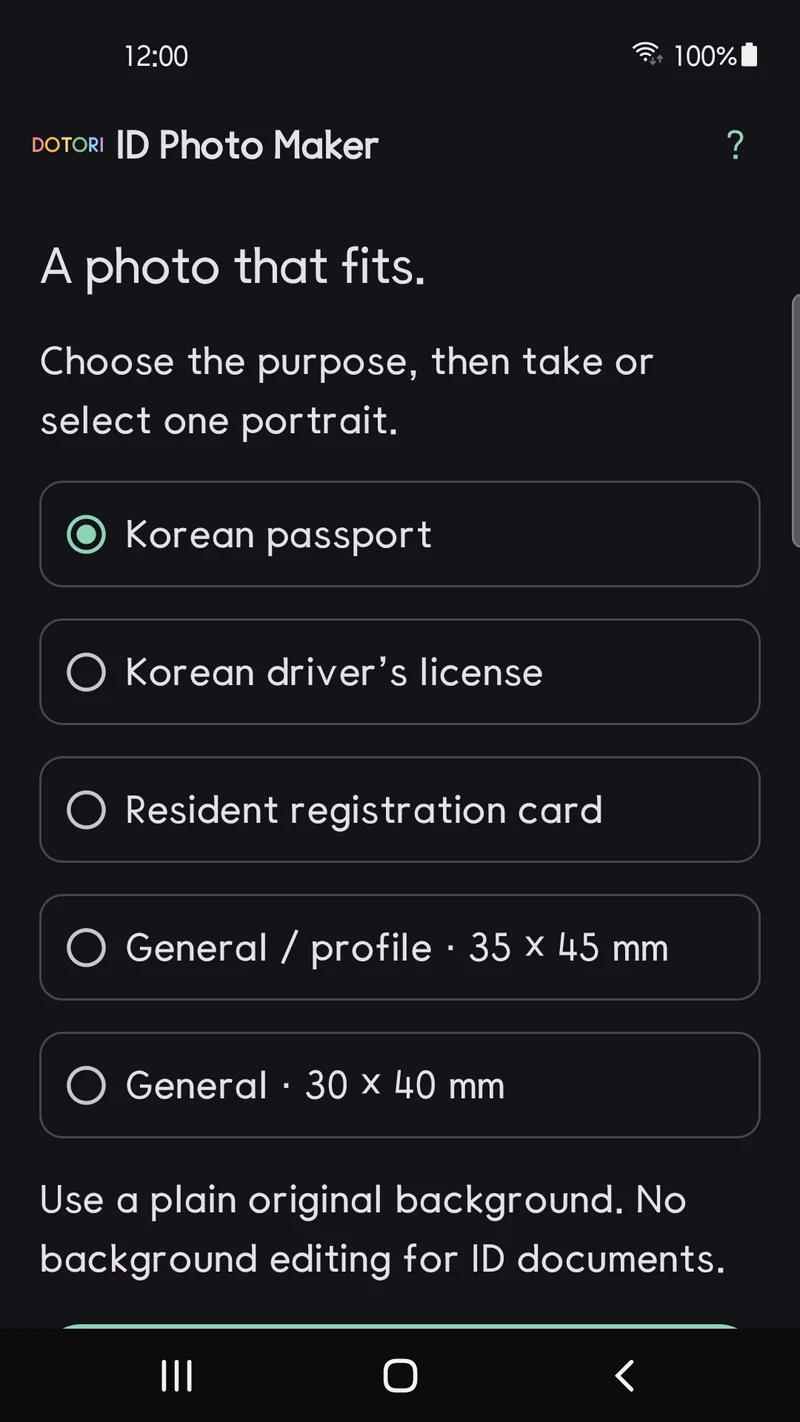
Then take a photo or choose one. Before editing starts, the app checks that exactly one face is in the picture. Two people, or no detectable face, and it stops there.
The app starts the crop, you finish it
The starting frame leaves room above the head and below the chin. Drag the top and bottom handles to set the edges; the ratio stays fixed. Drag inside the frame to move it in any direction.
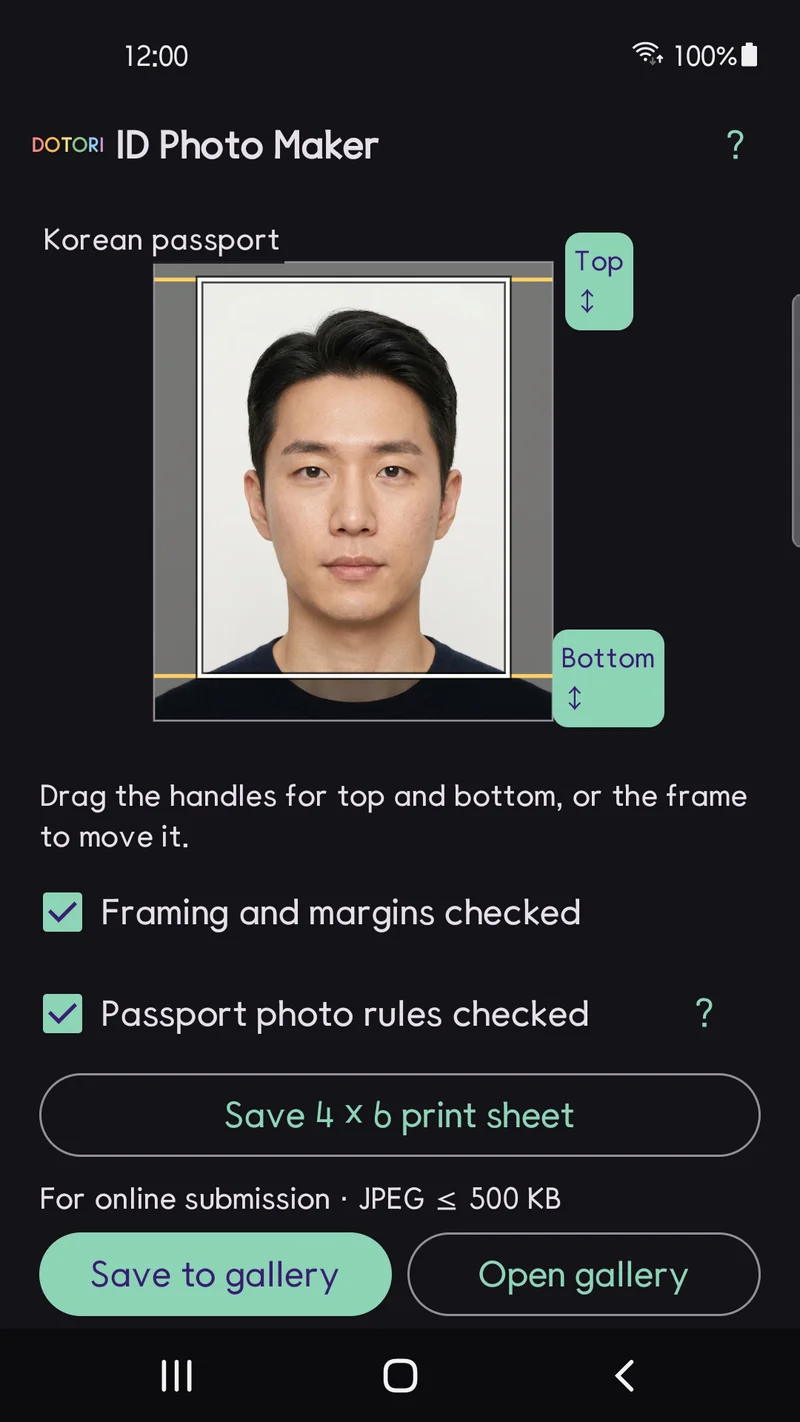
Korean passport rules also want the head, from crown to chin, to measure 3.2 to 3.6 cm. The app does not measure that. Instead, saving asks you to tick two boxes: framing checked, passport rules checked. The rule gets a look before the file exists. Acceptance is never guaranteed; the office you submit to has the final word.
ID photos keep their real background
The Korean passport photo guidance rejects photos whose background was erased with editing software. It also rejects a person pasted onto a white backdrop. So for passport, license and ID card purposes, the app never touches the background. Shooting against a plain white wall in even light is the reliable route. There are no beauty filters or retouching either.
Only the general purposes can switch the background, to white or light blue. That suits a résumé or a staff badge, where the rules are looser.
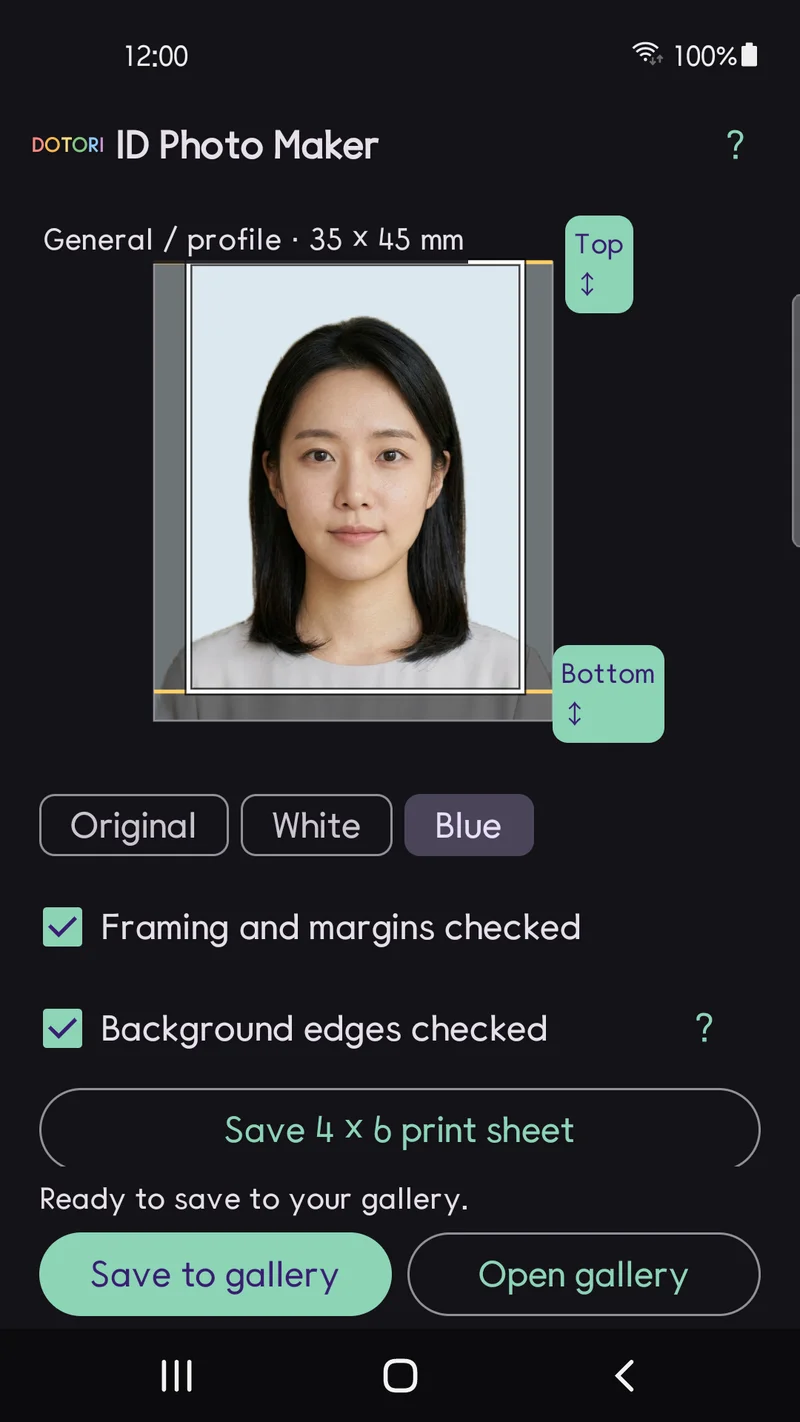
Saving comes in two forms. Save to gallery writes a 413 × 531 pixel JPEG under 500 KB. That is the file for passport and license online forms. Save 4×6 print sheet lays out six 35 × 45 mm photos or nine 30 × 40 mm photos with cut marks. Print it at actual size, without scaling or cropping.
Face detection and background processing run on the phone. There is no account and no upload to a developer server. Saved files do not copy metadata such as the original photo's location.
Wrap-up
Choose the purpose, adjust the frame, and save a submission file or a print sheet. ID photos keep the background they were taken with.
Stand in front of a white wall, take one photo, and crop it for what you need.
Dotori ID Photo Maker crops a portrait to Korean ID photo sizes on your phone, keeps the original background for ID purposes, and saves a submission file or a 4×6 print sheet. More about Dotori ID Photo Maker