In short. You are back from a conference with a stack of cards. Ahead of you is an evening of typing email addresses one character at a time.

Dotori Business Card ScannerScans Korean and English business cards so you can review the details, then add them to Contacts or share a vCard.

Dotori Business Card Scanner reads a card on your phone and fills in the fields for you. You check them, fix what is wrong, and send the result to Contacts or share it as a vCard. The card never leaves the device for recognition.
Scan once, get separate fields
Tap Scan and the phone's document scanner crops one side of the card and flattens it. A card photo already in your gallery works too. Korean and English cards are both supported.
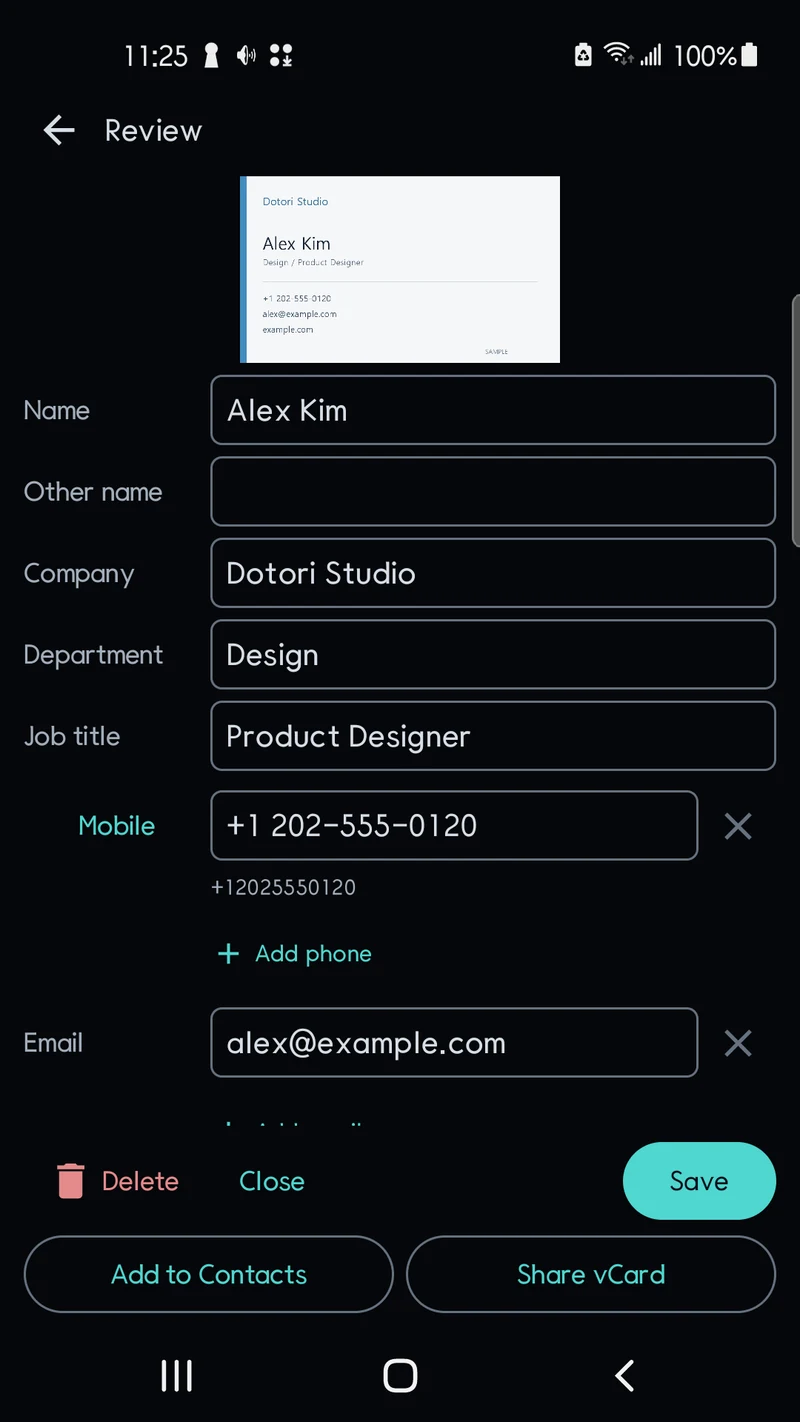
The review screen shows the card image above the suggested fields:
- name, company, department and job title
- phone numbers, keeping the mobile, office and fax labels printed on the card
- email addresses, websites and the address
- a memo, for where you met
Name, company and title are guesses based on layout. Check them against the card and tap any field to edit it. Need a second number or email? Add another row.
If the card carries a contact QR code, its contents appear as candidates too. When the QR and the printed text disagree, both stay visible and you decide which is right. Links inside a QR code are never opened automatically.
Two ways out: Contacts or vCard
Once the name is filled in, you have two choices.
- Add to Contacts opens your Contacts app's new-contact screen with the checked details filled in. You press save there.
- Share vCard writes the card to a vCard file and sends it through the app you pick. It is handy for passing a client's details to a colleague.
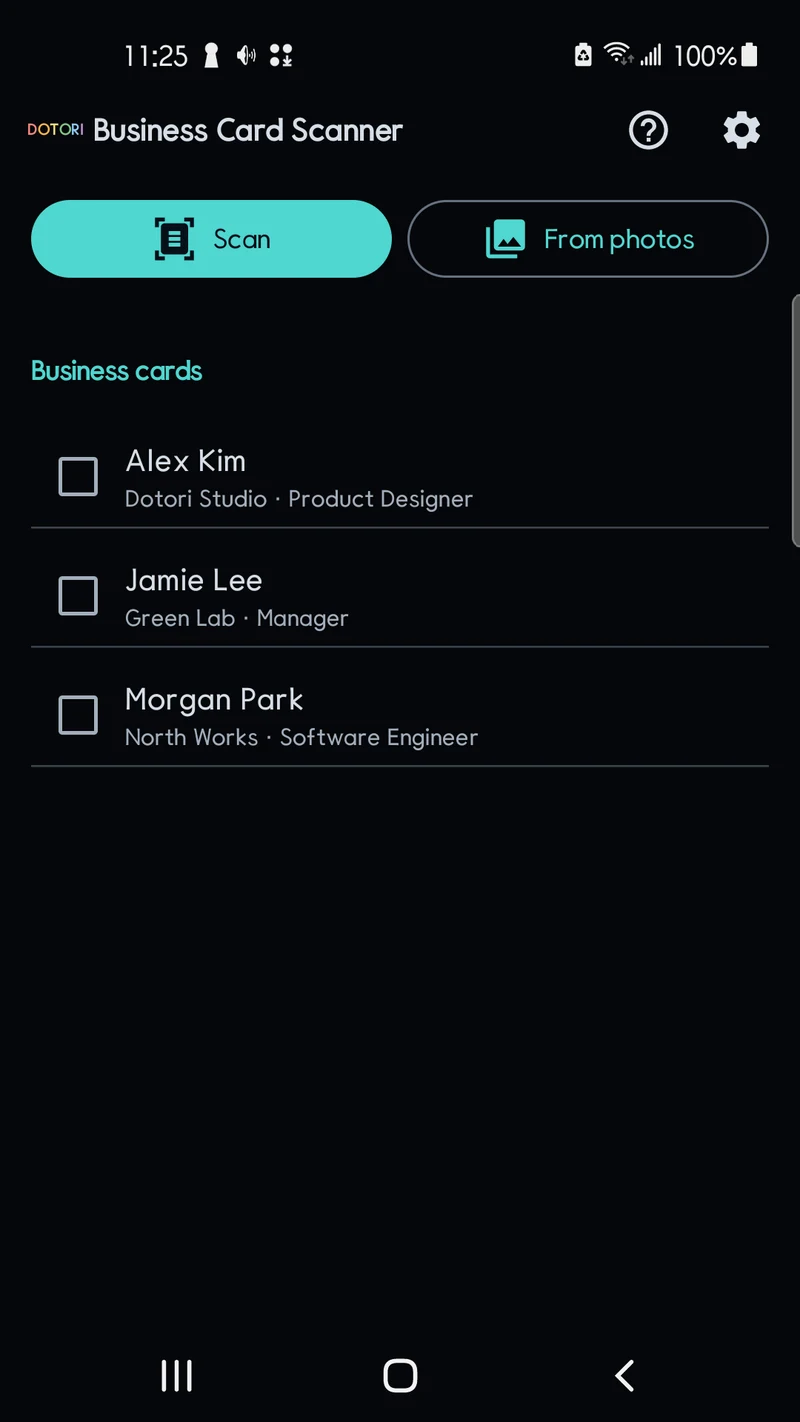
The scanner does not read your existing contacts, so it cannot warn you about duplicates. Scanned cards stay in the app's own list, though. A card you never exported can still be found by name or company.
A card holds someone else's details
A business card is another person's information, and the app handles it that way. Records and images are excluded from Android cloud backup and device transfer. There is no account, and card images and text are not uploaded for recognition.
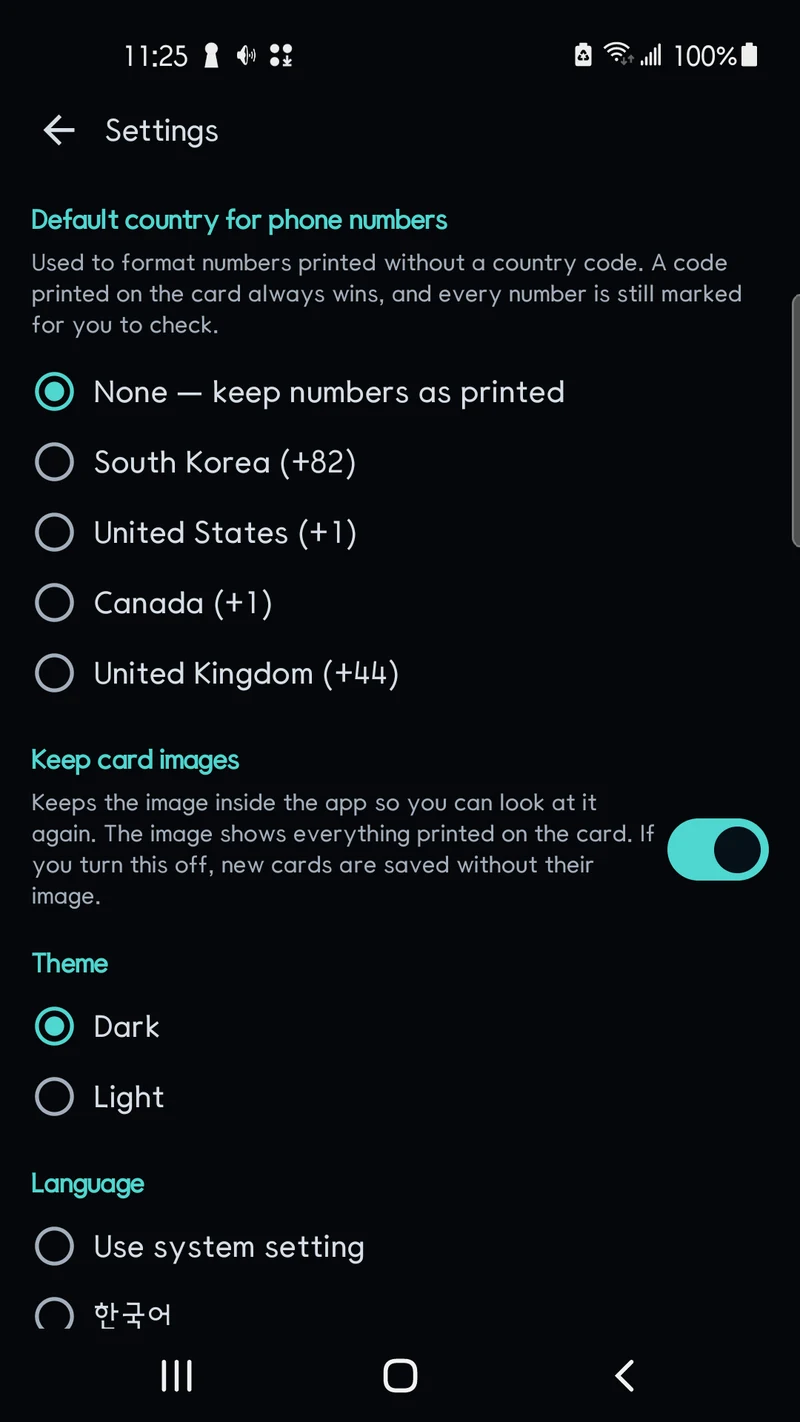
Two settings matter most. Default phone country adds a country code to numbers printed without one. By default they stay as printed. Keep card images lets you compare a record with the original later. Turn it off and new cards are saved without an image. A light or dark theme and the app language are set on the same screen.
Deleting a card removes both the record and its image. Text and QR models ship with the app. An optional extra model downloads over Wi-Fi. Until it is ready, basic recognition and manual editing keep working. This version reads one side per image and does not merge front and back.
Wrap-up
One scan fills the fields, you check them, and the card goes to Contacts or out as a vCard. The details stay on your phone and out of cloud backup.
Pick the card at the top of your desk drawer and scan it first.
Dotori Business Card Scanner reads the card on your phone, lets you check and edit every value, and hands the saved card to your contacts app or a vCard file. More about Dotori Business Card Scanner