Short answer. A receipt can be read without sending it anywhere: a bundled ML Kit text recognizer turns the image into lines, app-owned Korean and English rules propose the store, date, amount and currency, and nothing counts until you confirm those four fields against the image. "On-device" describes recognition only. The document scanner is a Google Play services module that may need a download, and a cloud photo provider needs its own connection.

Dotori Receipt ScannerScan Korean and English receipts, review amounts, and share records as CSV.

This note describes version 1 of Dotori Receipt Scanner on Android 8.0 (API 26) and newer. It reads one Korean or English receipt per image and keeps a summary per receipt: store, date, amount, currency and a few optional fields. There is no app account and no developer-operated receipt server. Implementation details such as row assembly, the money type and the backup rules are in the tech notes; this page covers the flow and how to check the result.
What stays on the phone, and what does not
"The app does not send receipts to a server" and "getting the image never uses the network" are two different statements. Only the first one holds for every step.
| Step | Where it runs | Network |
|---|---|---|
| Scan (document scanner) | A Google Play services module with its own camera access | May need a module download first |
| From photos (Photo Picker) | The Android system picker; only the chosen file is handed over | Only if you pick from a cloud photo provider |
| Text recognition | ML Kit Text Recognition v2 with the Korean model, bundled in the app | None |
| Field extraction | Korean and English label rules owned by the app | None |
| Records and images | App-private storage, excluded from cloud backup | None |
| Ads and ML Kit diagnostics | Separate SDKs with separate data practices | Yes, but receipt images and text are not passed to ad requests |
The app itself requests no dangerous permissions: the scanner uses its own camera access and the picker grants only the selected image. Because the scanner module can arrive through Play services, the very first capture is not guaranteed to work offline.
From receipt to confirmed record
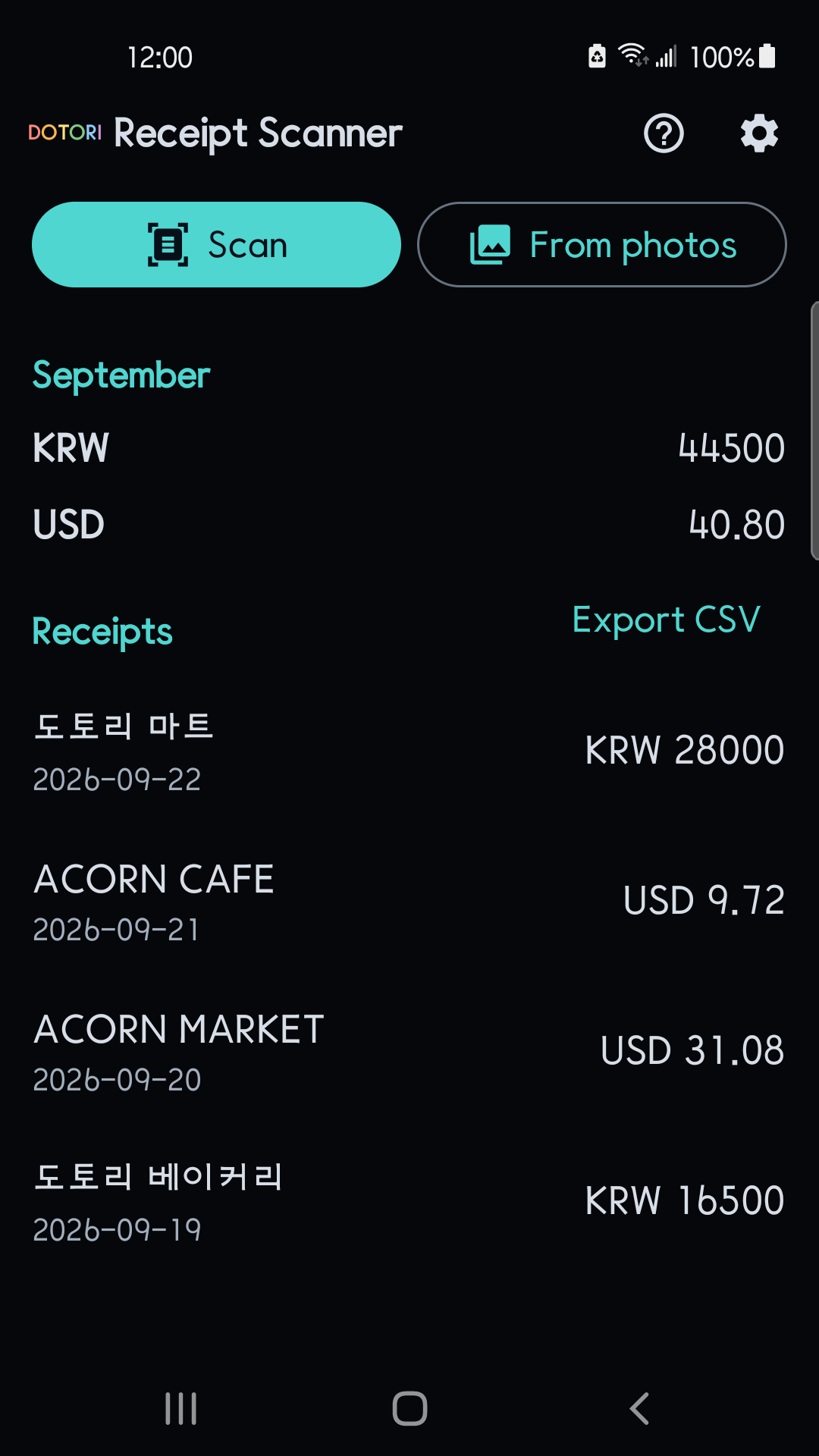
- On the home screen, tap Scan to crop and straighten one receipt with the document scanner, or From photos to use an image you already have. Cancelling the scanner is not an error and does not open the picker on its own.
- The app shows Reading the receipt…, then saves the result as a draft immediately, so leaving the screen does not lose it.
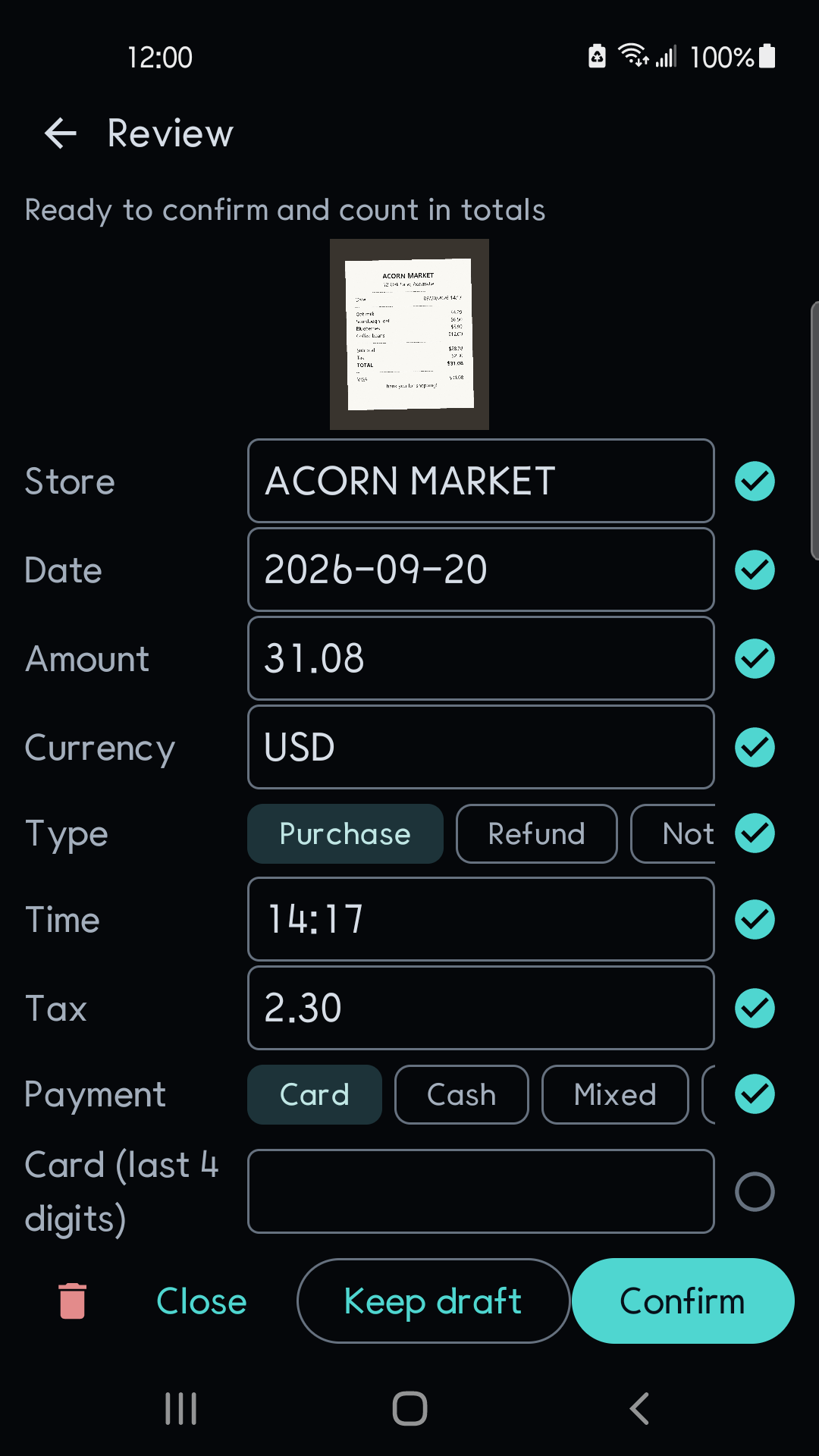
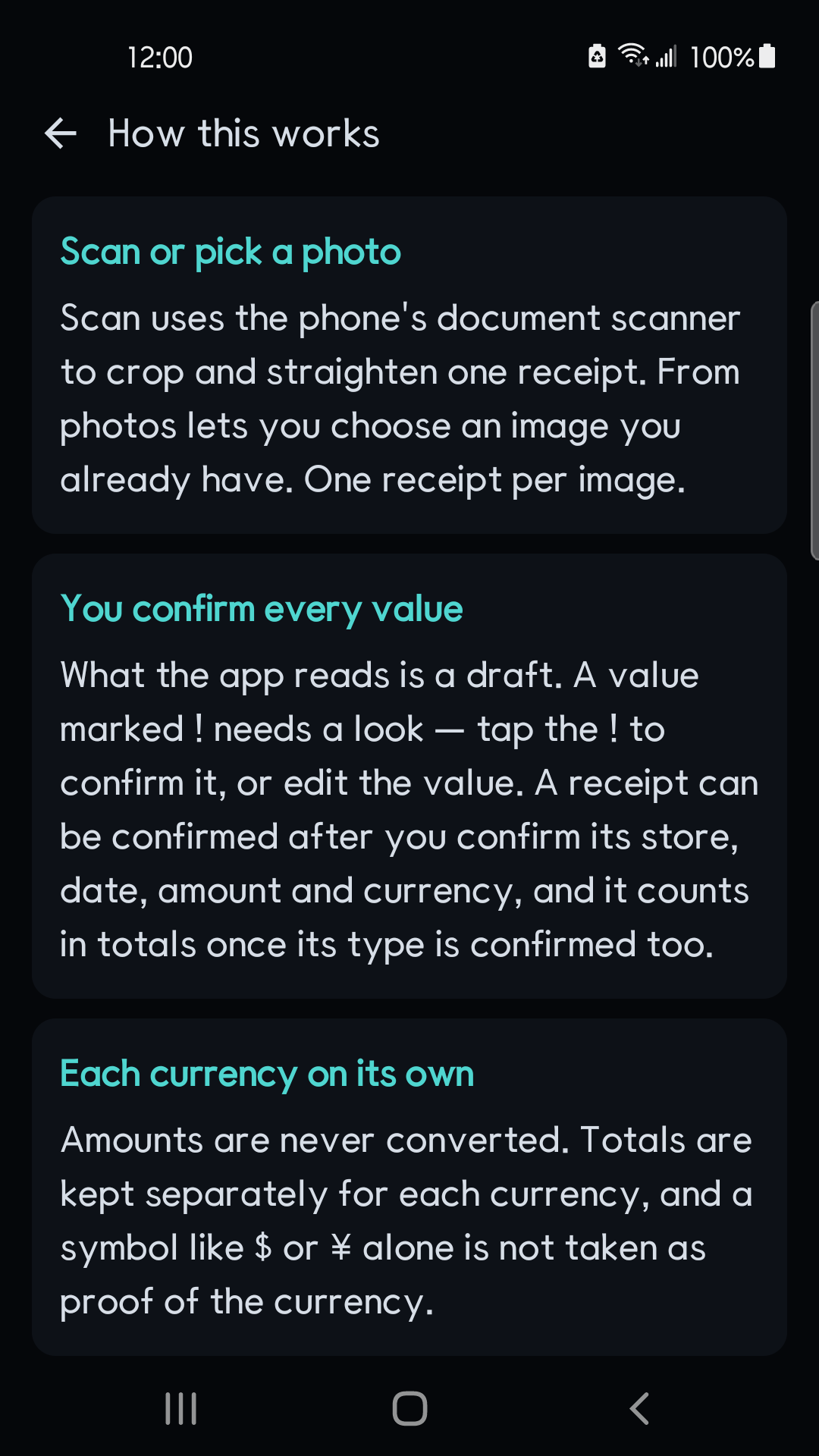
- On Review, a value marked ! needs a look. Tap the ! to confirm it, or edit the value; an edited value also counts as confirmed and later recognition does not overwrite it.
- The receipt can be confirmed once Store, Date, Amount and Currency are confirmed. It counts in totals only when Type is also confirmed as Purchase or Refund.
- Tap Confirm, or Keep draft if you want to check it later. Drafts stay out of totals and exports until you confirm them.
What to check against the image
The rules propose candidates; they do not decide the accounting. These are the cases where a proposed value deserves a second look.
| What you see | Why | What to do |
|---|---|---|
| The amount is not the one you paid | Only total labels such as 합계, 결제금액, Grand total and Amount paid are candidates. Subtotal, Balance due, tip, change, discounts and points are not | Pick the paid total from the image |
| The currency is marked for review | $ and ¥ stay ambiguous, and the receipt's language is never taken as its currency | Type the three-letter code, such as USD or KRW |
| The currency is already filled in | Main currency in Settings is only offered first when the receipt does not say | Confirm it against the receipt anyway |
A date like 04/05 is marked | It reads differently as MM/DD and DD/MM. Date format hint only decides which reading is offered first | Confirm the date in YYYY-MM-DD |
| The date or year is missing | A missing date is never filled in from today or the capture time | Enter it yourself or keep a draft |
| An amount has an unusual number of decimals | Amounts are kept exactly; 12.345 is not rounded to 12.35 | Correct it to what the receipt means |
A foreign card slip can print both the shop currency and the card currency. The app keeps the one amount and currency pair you confirm and does not add or split them.
What the totals and CSV contain
The home screen shows the current month per currency: spent, refunded and net. There is no exchange-rate conversion. Only confirmed receipts with a confirmed type count; drafts and receipts left as Not sure stay out until you classify them.
Export CSV shares one row per confirmed receipt through the Android share sheet:
schema_version,date,time,merchant,currency,amount,transaction_type,tax,payment_method,memo- The amount is a plain decimal string with a dot, no grouping and no symbol, next to its ISO currency code. Tax is written only when its currency matches the amount's.
- The file is UTF-8 with a BOM and CRLF rows. Text that starts with
=,+,-or@is prefixed so a spreadsheet does not run it as a formula. - The CSV holds summary fields and your memo, not purchased items. It is an export, not a backup: there is no import or restore.
Images, backup and deletion
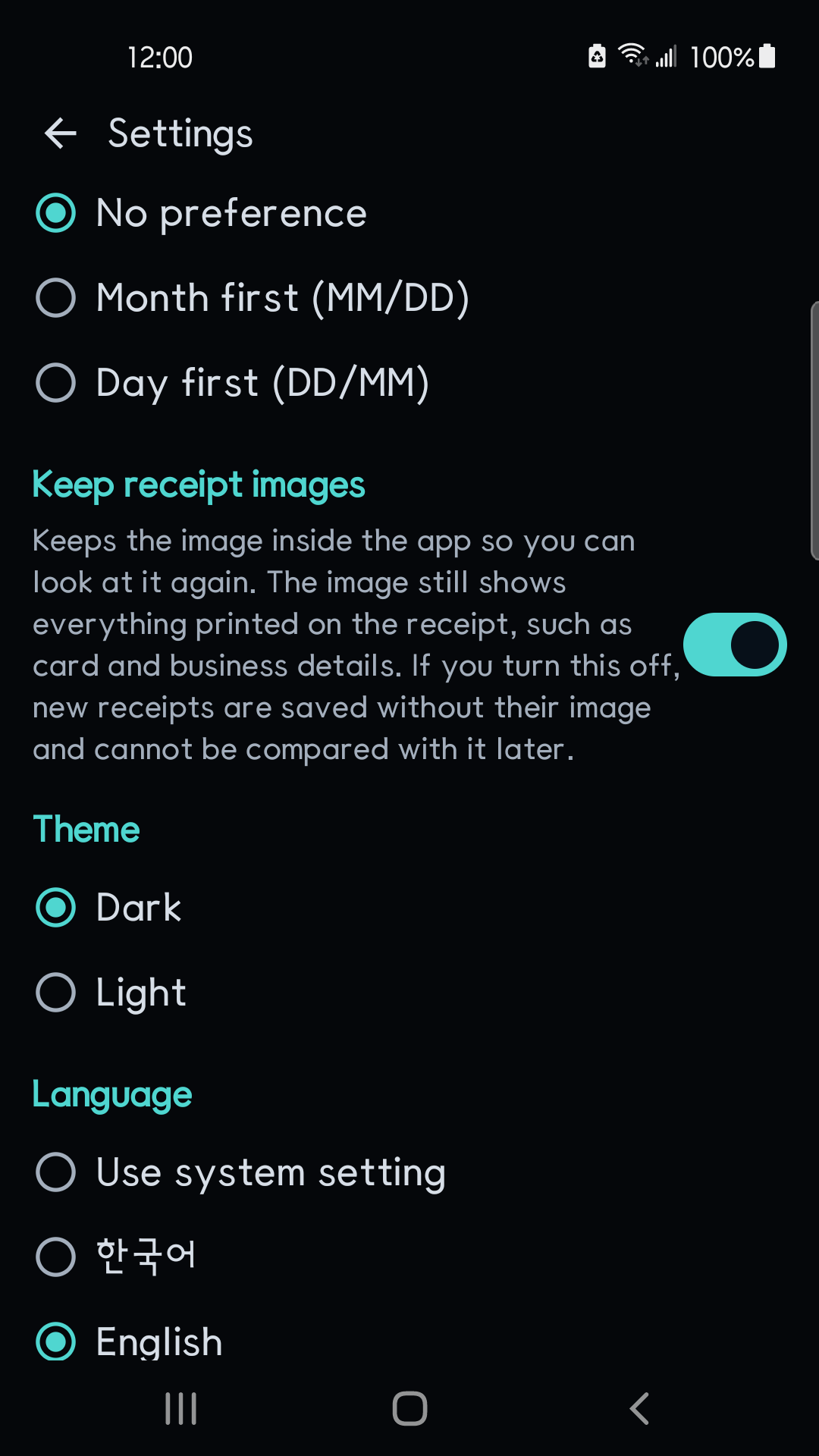
- Receipt images are kept inside the app by default so you can compare a record with it later. Nothing is written to the gallery.
- Turning off Keep receipt images applies to receipts recognized afterwards. Images kept earlier stay until you delete their records.
- Deleting a receipt removes its kept image too. It does not remove the original in your gallery or CSV copies you have already shared.
- Card details are stored only as the last four digits, but a kept image still shows everything printed on the receipt. Images are not anonymised.
- Records and images are excluded from cloud backup and are configured to be excluded from device-to-device transfer (manufacturer migration tools may behave differently). Version 1 has no restore or sync.
Limits of version 1
Version 1 uses OCR and extraction rules, without generative AI. It does not extract individual items, classify purchases into categories, calculate taxes, search records, show totals for months before the current one, flag duplicate receipts, read multi-page or PDF receipts, or sync and restore records. Recognition can make mistakes, so every result is a draft until you confirm it.
Dotori Receipt Scanner reads Korean and English receipts on the device, leaves every value for you to confirm, totals each currency separately and shares confirmed records as CSV. More about Dotori Receipt Scanner