In short. Most receipt apps read a photo and drop whatever they recognised straight into your totals. When the OCR misreads a 7 as a 1, you find out at the end of the month, if at all.

Dotori Receipt ScannerScan Korean and English receipts, review amounts, and share records as CSV.

Dotori Receipt Scanner treats recognition as a suggestion. It reads Korean and English receipts on your phone. Then it waits for you to confirm the details before anything counts.
Scan first, confirm second
Tap Scan and the phone's document scanner crops one receipt and flattens it. If the photo is already in your gallery, use Choose photo instead. One image holds one receipt.
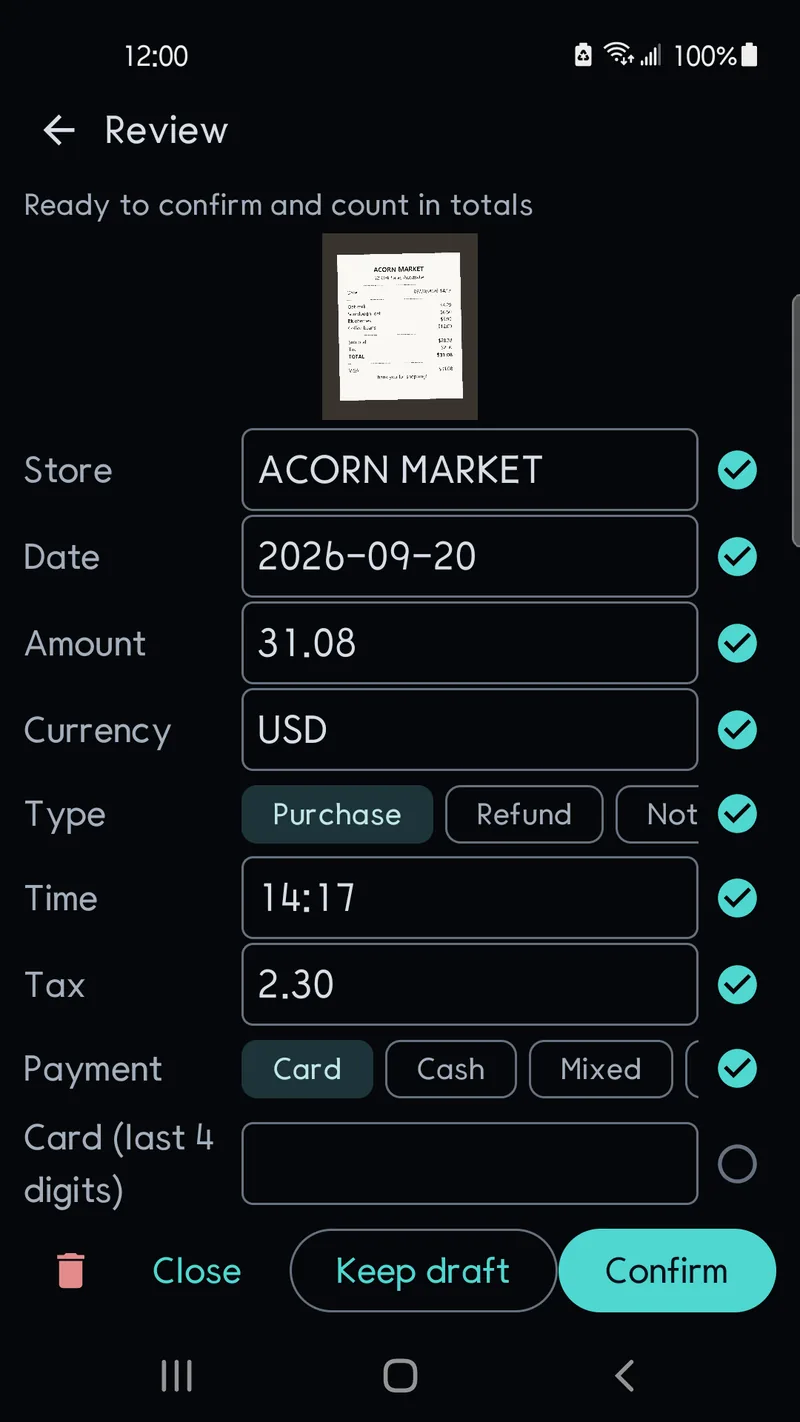
The review screen puts the receipt image on top and the suggested values below it:
- merchant and date
- amount and currency
- transaction type — purchase or refund
- optional tax, payment method and a memo
Values that need a second look carry a mark. Tap one to confirm it, or edit it and it counts as confirmed. Not ready to check? Save draft keeps the record for later.
Totals stay in their own currency
The app does not convert exchange rates. A month with both won and dollar receipts shows a KRW total and a USD total on separate lines. Nothing gets blended into a number that depends on which rate you picked.
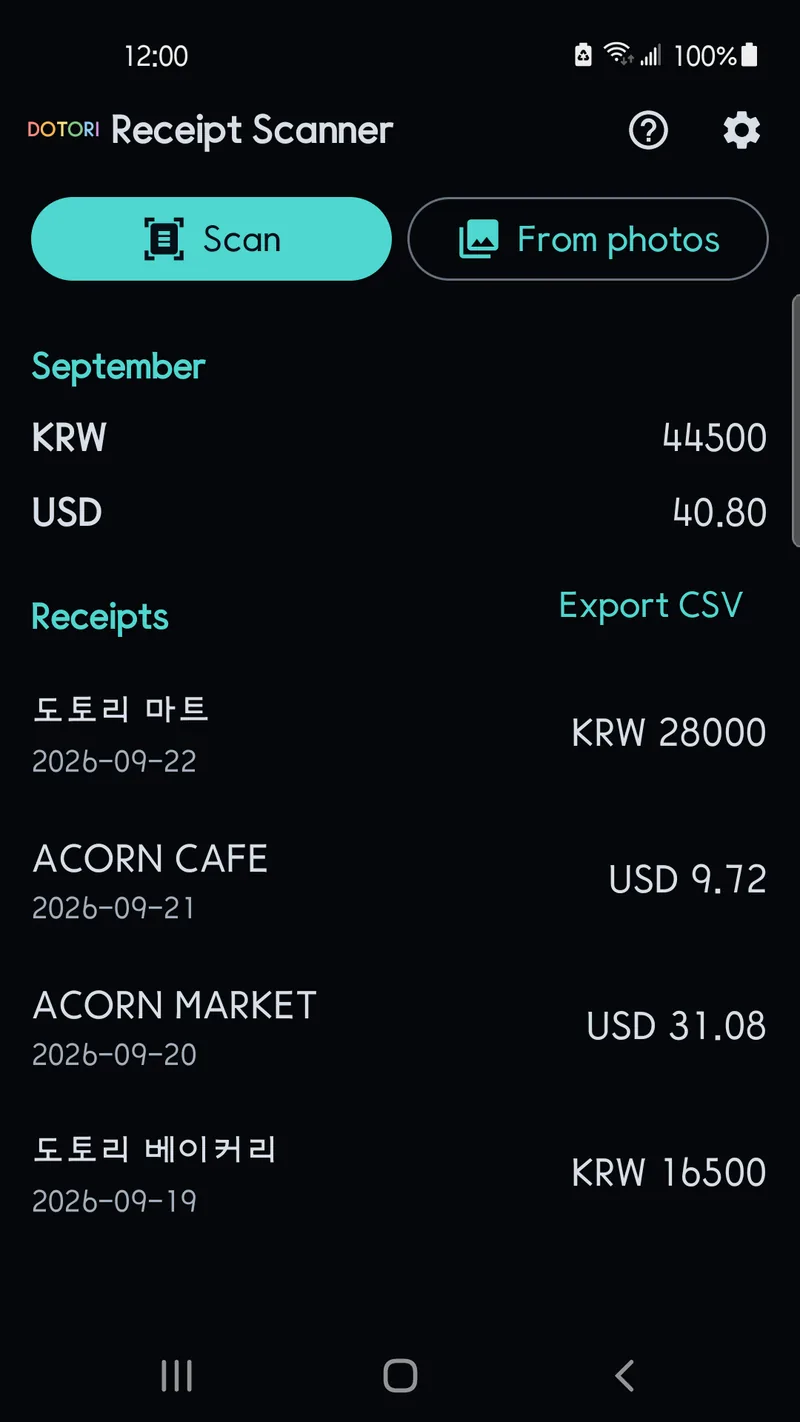
Currency is also confirmed per record. A $ or ¥ symbol alone is not enough to decide it, since several currencies share those signs.
The monthly total follows a simple rule. Confirmed purchases are added and confirmed refunds are subtracted. Drafts, and records whose type is unconfirmed, are left out. Every number in the total is one you have already looked at.
Confirmed records leave as CSV
Export CSV on the home screen writes your confirmed records to a file. It hands the file to an app you choose: a spreadsheet, an email, a cloud drive. The file holds summary fields such as merchant, date and amount. Individual items on the receipt are not included. It is an export, not a backup; the app cannot restore records from it.
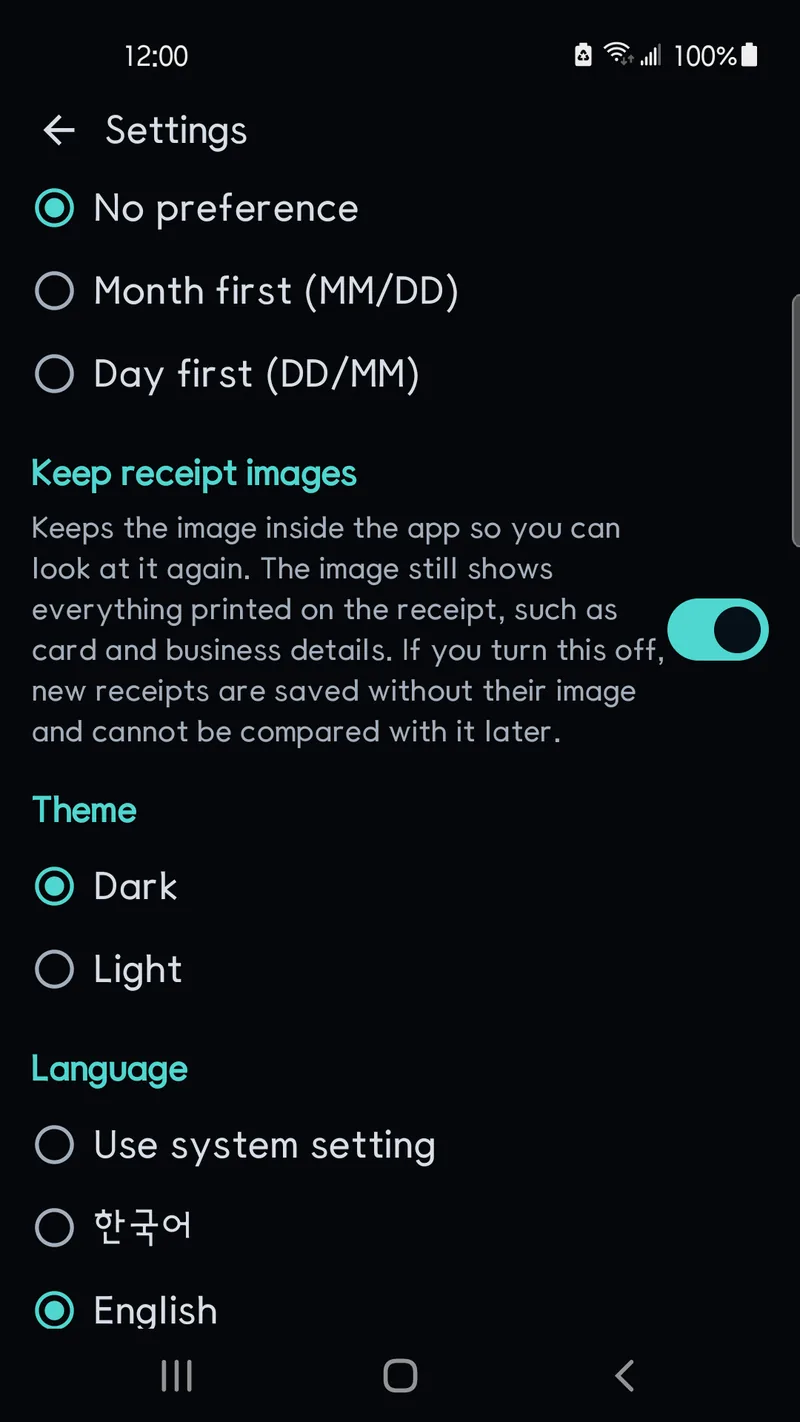
Settings cover the details that trip people up. Date order can be month-first or day-first, which settles whether 09/10 means September or October. Receipt images are kept by default so you can check a record against the original later. Turn that off and receipts scanned afterwards are saved without an image.
Recognition runs on the device. There is no account, and receipt images and recognised text are not uploaded for processing. Card numbers are limited to the last four digits. Receipt data is excluded from cloud backup. There is a light theme too, and the language can follow the system or be set to English or Korean.
A few things are deliberately out of scope. There is no item-by-item extraction, no accounting or tax math, and no currency conversion. Setting up the scanner the first time may need a download through Google Play services.
Wrap-up
The app reads receipts, but you decide what counts. Totals stay per currency, and confirmed records export as CSV.
Scan the receipts in your wallet this week and see how few fields you actually need to fix.
Dotori Receipt Scanner reads Korean and English receipts on the device, leaves every value for you to confirm, totals each currency separately and shares confirmed records as CSV. More about Dotori Receipt Scanner